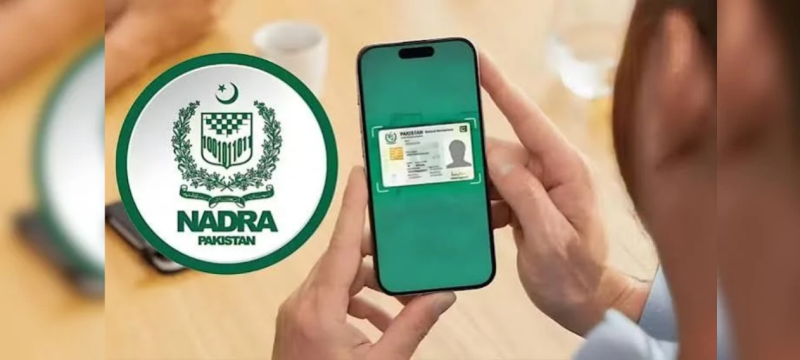
ISLAMABAD: The National Database and Registration Authority (NADRA) has issued new guidance for citizens facing account registration problems on the Pak ID mobile application.
The authority has explained how users can recover existing accounts linked to their Computerised National Identity Card (CNIC) numbers.
The guidance addresses situations where citizens receive an error while attempting to register on the application.
According to the authority, this error may appear when a CNIC number is already connected to another account.
Users facing this issue should recover their existing accounts instead of creating new ones.
The process involves password recovery, email verification, and biometric authentication to confirm the user’s identity.
NADRA Explains Pak ID Account Recovery Process
Citizens can recover their existing Pak ID accounts by following a few steps through the mobile application.
First, users must open the Pak ID application on their smartphones.
They should then enter their CNIC number on the login screen.
After entering the required information, users must select the “Forgot Password” option.
The application will ask them to provide their registered email address.
A two-factor authentication (2FA) verification code will then be sent to that email address.
Users must enter the received verification code to continue the recovery process.
After completing email verification, the application will require biometric authentication.
This step helps confirm the identity of the person requesting account access.
Once biometric verification is completed successfully, users can regain access to their existing accounts.
Why Does the CNIC Already Registered Error Appear?
The registration error occurs when a CNIC number is already associated with an existing Pak ID account.
Citizens may encounter this message when attempting to create another account using the same identity number.
According to the authority, users should avoid registering again when this message appears.
Instead, they should follow the password recovery procedure to access their previously registered accounts.
The recovery process includes security checks designed to verify account ownership.
Email authentication and biometric verification help protect personal information from unauthorized access.
What Services Are Available Through the Pak ID App?
The Pak ID application provides several identity-related services to Pakistani citizens.
Users can submit applications for CNIC renewal, modification, and replacement through the digital platform.
The application also supports other identity documentation services offered by the registration authority.
These online facilities allow citizens to complete various application procedures without visiting registration centers for every request.
However, some services may require additional verification or documentation.
The application aims to simplify access to identity registration services through smartphones.
NADRA Helpline Available for Account Problems
Citizens who continue experiencing login or registration problems can contact the authority for assistance.
The official helpline number is 1777, which provides support for identity-related services.
Users facing difficulties with account recovery can seek guidance through this helpline.
The authority advises citizens to follow the recommended recovery procedure when their CNIC is already registered.
The guidance is intended to help existing account holders restore access while maintaining identity verification requirements.
Citizens should also ensure they use their registered email addresses during the recovery process.
In other news read more about NADRA Makes CNIC Application Easier Without Birth Certificate
By following the outlined steps, users can recover their Pak ID accounts and continue accessing available digital services.